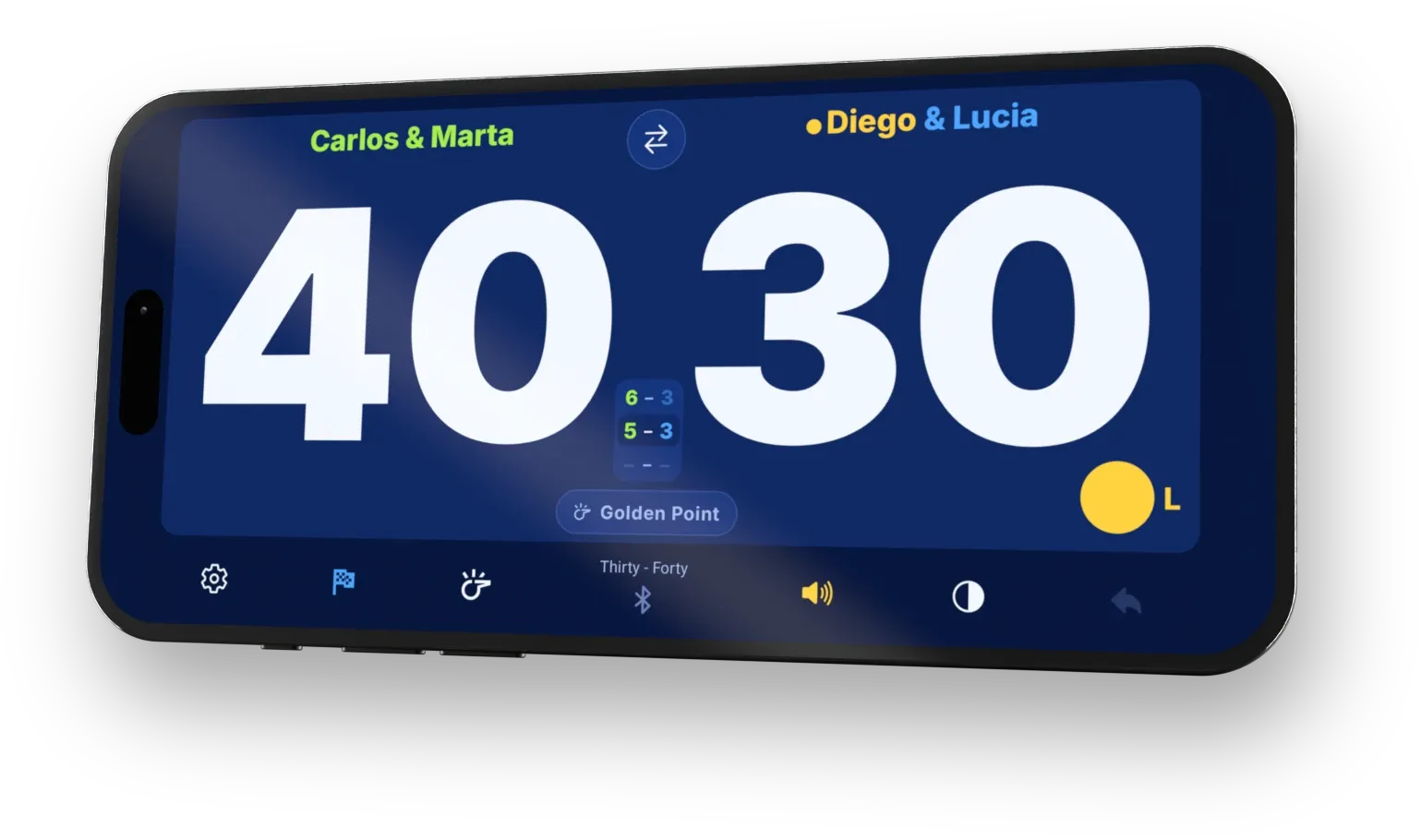
Serve indicator
Always know who serves
A gold dot marks the serving team and a letter shows the side. The tie-break gets its own banner.
PadelRef is a free padel referee and scoreboard app for Android, iPhone and Apple Watch that shows the score and who’s serving, and can call both out loud. One scoreboard for all four of you. Score from your phone, a Bluetooth remote or your Apple Watch; PadelRef calls the score and, if you switch it on, who’s serving.
Free to score, voice free to try. No accounts, no cloud.
Four players, four versions of the match
When you start out, following the match is harder than playing it. Once you know it cold, it’s memory that fails. PadelRef shows and calls the state of the match so the only thing on your mind is the next ball.
Three steps from warm-up to match point.
Open PadelRef and pick your format - golden point, advantage or star point, best of three or five.
Tap your side of the board, click a Bluetooth remote from your pocket, or score straight from your Apple Watch.
PadelRef marks who serves and from which side, calls the score and shows you when the tie-break starts. You just play.
What PadelRef shows and tells you on every point - and how you tune it to your level.
Serve indicator
A gold dot marks the serving team and a letter shows the side. The tie-break gets its own banner.
Voice announcements
It calls the score server-first and, if you switch it on, who serves and from which side. Eight languages, free to try, then Premium.
Announcement switches
Every announcement has its own switch. Start with everything, drop what you no longer need.
Bluetooth remote & Apple Watch *
One click on a remote in your pocket, or a tap on your wrist.
Padel rules
Golden point or advantage, tie-break and super tie-break - the app keeps the serve order.
Big score
Oversized numerals, and the screen stays awake all match.
* Works with PadelRef on iPhone. Not available on Android.
The same app, three ways to hear it. Here is what PadelRef says after a point and after a game at each stage.
Everything on: switch on “Announce who is serving” in Settings → Voice
Thirty - Fifteen Team A serves from the left.
Game Team A. 2-1. Team B serves from the right.
Points and scores only
Thirty - Fifteen
2-1
Game and set callouts only
Nothing will be announced
Game Team A
Or turn the voice off: the big board does the work.
Hands-on guides, gear picks and court setups, tested in our own matches.
Americano vs Mexicano in padel: how partners rotate, what a 24-point match means, who serves when, and the rules an organiser has to publish before round one.
Read more →Golden point (punto de oro) in padel: one deciding point at 40-40, the receivers pick the side and cannot swap, who plays it in 2026, and the Star Point difference.
Read more →Padel rules for beginners: the one-bounce rule, when the glass is in play, how to serve, the 15-30-40 count and who serves. Checked against the 2026 FIP text.
Read more →The whole app - interface and voice announcements - is fully localised.
New features and fixes for your matches, release by release.
Until December 15, the first month of PadelRef Premium is free on the Monthly plan, on Google Play and the App Store. There is no code to enter.
Read more →Flic 2 buttons now work on iPhone, PadelRef speaks Portuguese, Home shows your last matches, History shows when each one was played, and Bluetooth remotes are easier to set up and keep connected.
Read more →Singles and 2 v 1, the server highlighted, the deciding point called out loud. On Apple Watch, matches land in Health and keep going without the phone app.
Read more →Free to score every match, voice free to try. On Google Play and the App Store, for Android, iPhone and iPad - with Apple Watch as your remote.