- Everyone
A padel scoreboard that calls the score
PadelRef is a padel scoreboard with a voice: after every point it says the score out loud, server's score first, and it announces games, sets and the end of the match.
Free to score, voice free to try. No accounts, no cloud.
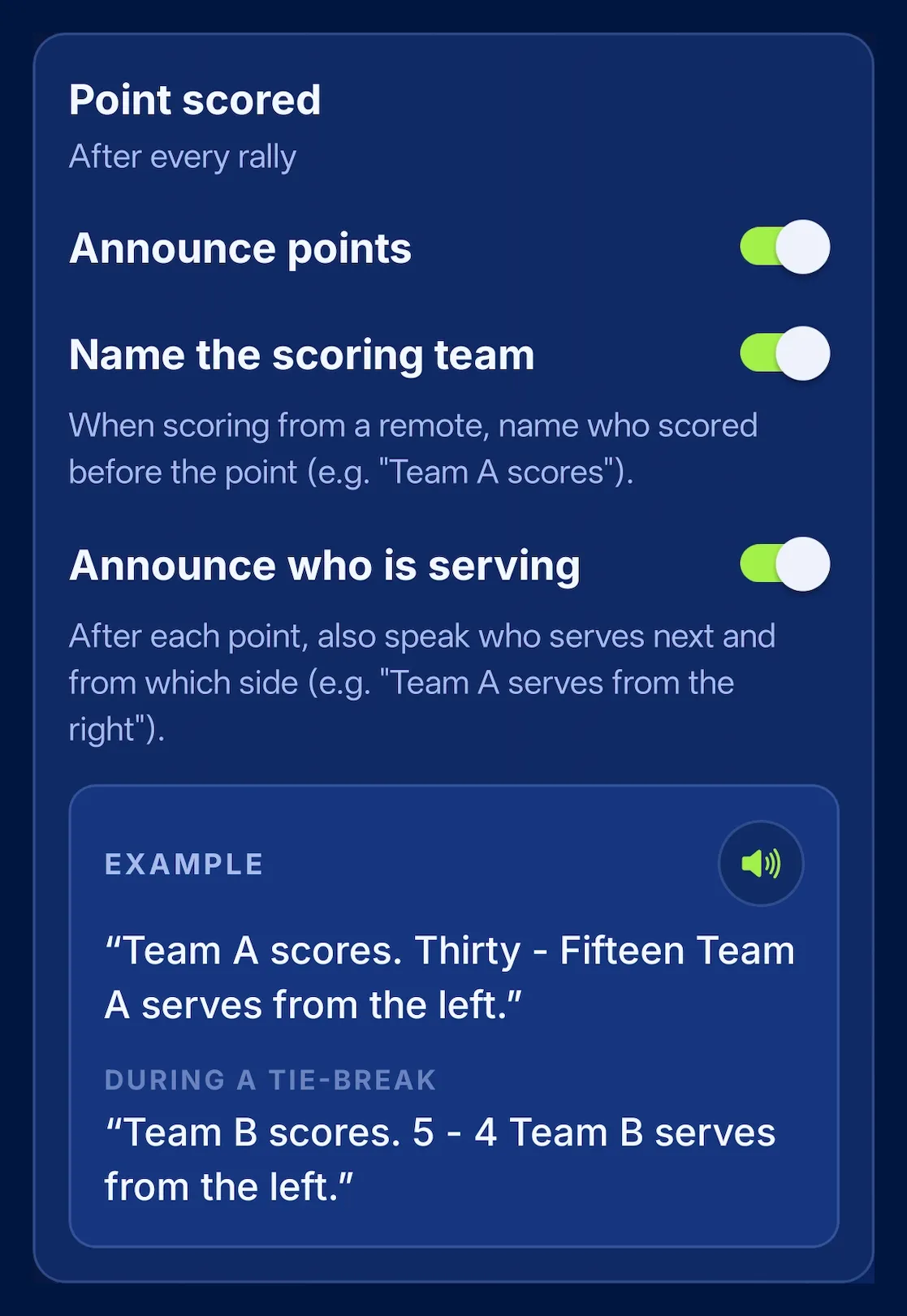
Team A scores. Thirty - Fifteen Team A serves from the left.The example in the capture, as the app says it after a remote press.
- You hear the score after every point, without looking at the phone.
- It announces games, sets and the end of the match, each with its score.
- You decide what it says: every announcement has its own switch and preview.
Grows with you
On the voice screen, every announcement has its own switch and a preview that says it out loud. Drop what you no longer need. Here's a set win, depending on what you leave on:
- Everything on
Set Team A. 0-6, 6-4. Team A serves from the right.
- Score only
6-4
- Callout only
Set Team A
What it says, and when
- After every point: the score, server’s first, like an umpire: “Thirty - Fifteen”. At advantage, “Advantage Team A”; in a tie-break, the points: “5 - 4”.
- Who serves: with “Announce who is serving” on, it adds who serves next and from which side.
- When a game or set is won: the callout and the score, for example “Game Team A. 2-1” or “Set Team A. 6-4”. If you like, it recaps the previous sets too.
- At the end: “Game, set and match Team A. 6-4, 6-3”.
- When you score from a Bluetooth remote: it can name the team that scored first, “Team A scores.”, so you know the click registered.
Seven languages, in your phone’s own voice
The voice speaks English, Spanish, Italian, French, German, Russian and Ukrainian, using your phone’s own text-to-speech voices. You can pick which one reads the score and hear it first. Switch language mid-match and it won’t repeat the point.
You decide how much it talks
At first it helps to hear everything: the score, who serves, every game. Over time half of it is noise. In the voice settings every announcement turns on and off on its own, and the preview gives you the exact phrase before you step on court (the full list is on Features). Prefer silence? Turn the voice off - the big board keeps doing its job.
Heard across the whole court
On an open court the phone’s speaker can fall short. Any Bluetooth speaker works; below, we tell you which one we use.
Trial and Premium
Voice announcements are free to try. With Premium, the voice announces every match. The on-screen scoreboard - serve and match phase included - is always free.
Further reading
Frequently asked questions
Which languages does PadelRef speak?
PadelRef's voice announcements speak seven languages: English, Spanish, Italian, French, German, Russian and Ukrainian. The voice follows the app language, which can follow your system.
Can I turn off announcements I don't need?
Yes. In PadelRef every announcement (points, who serves, games, sets, previous sets, end of match) has its own switch and a preview of the exact phrase.
Is the voice free?
PadelRef's voice announcements are free to try. With Premium, the voice announces every match. The on-screen scoreboard is always free.
Do I need a speaker?
No. PadelRef speaks through the phone's own speaker; a Bluetooth speaker only helps if you want the whole court to hear it.